Text AI (NLP) Guide
The Text AI project type covers three distinct natural language processing (NLP) workflows for support messages, feedback, search corpora, prompts and saved responses. It does not load, call, train or fine-tune an LLM. Response evaluation can measure output produced elsewhere by an LLM, another model or a person.
Choose a workflow
Start with the result you need; you do not need to choose a model family first.
Text classification
Choose it when
You have labelled examples and want to route or categorize new text.
What you get
A trainable local classifier, confidence scores, predictions and a Smart Review queue.
Lexical & fuzzy search
Choose it when
You want to find similar wording, spelling variants or likely duplicates.
What you get
Ranked matching rows with similarity scores and no training step.
Response evaluation
Choose it when
You have saved responses and, optionally, reference answers to compare.
What you get
Completion, length, normalized exact-match and token-overlap F1 metrics.
Technical note: all three workflows run locally. Classification uses word and character TF-IDF with balanced logistic regression (averaged SGD above 100,000 training rows); search uses hashed character 3–5-grams with cosine similarity; evaluation uses deterministic metrics. AnyLearning does not load or train a generative LLM in these workflows.
Search recognizes overlapping wording and spelling variants; it is not embedding-based semantic search. Evaluation measures responses produced elsewhere and does not claim to judge factuality with another model.
Step 1: Import text data
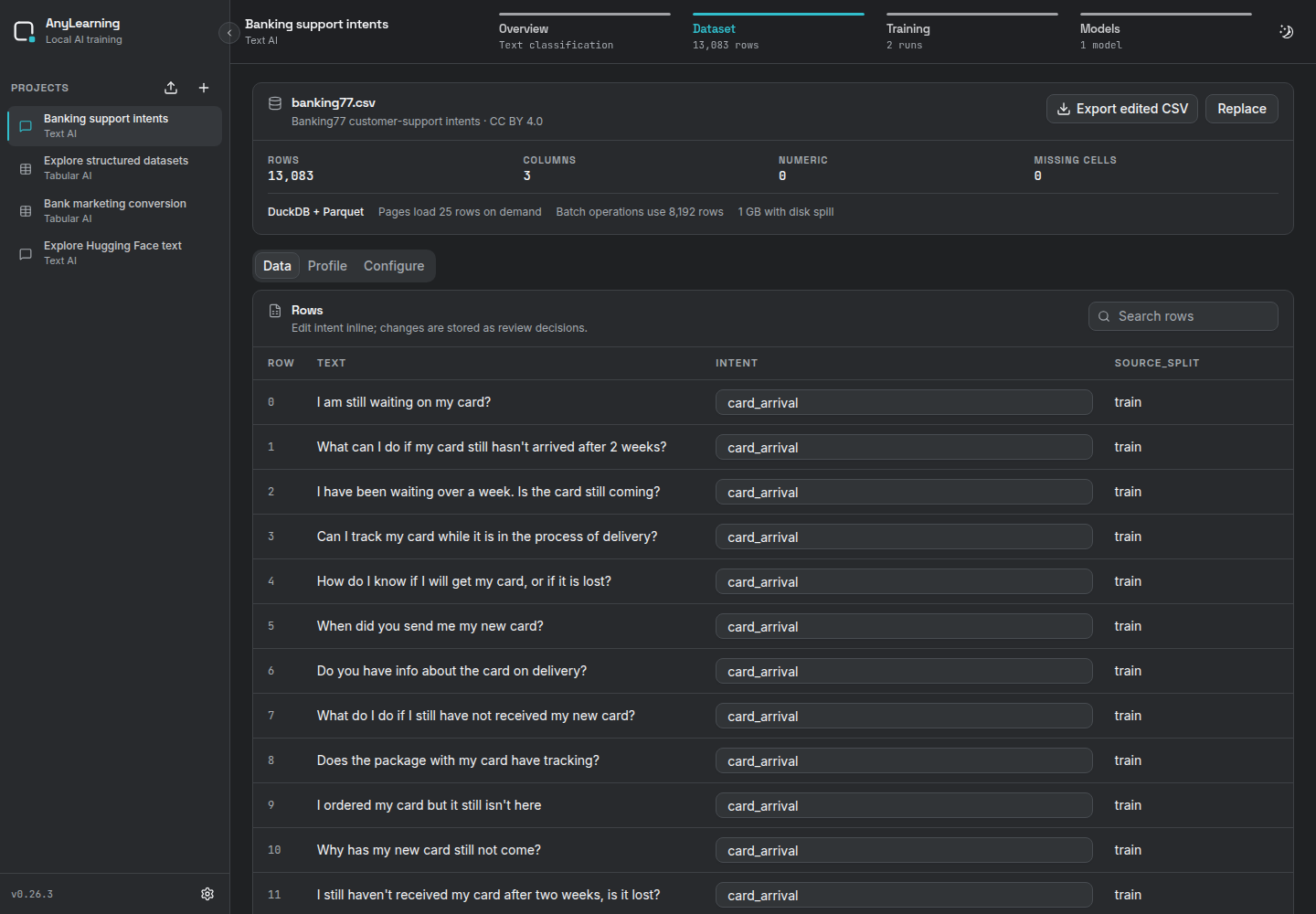
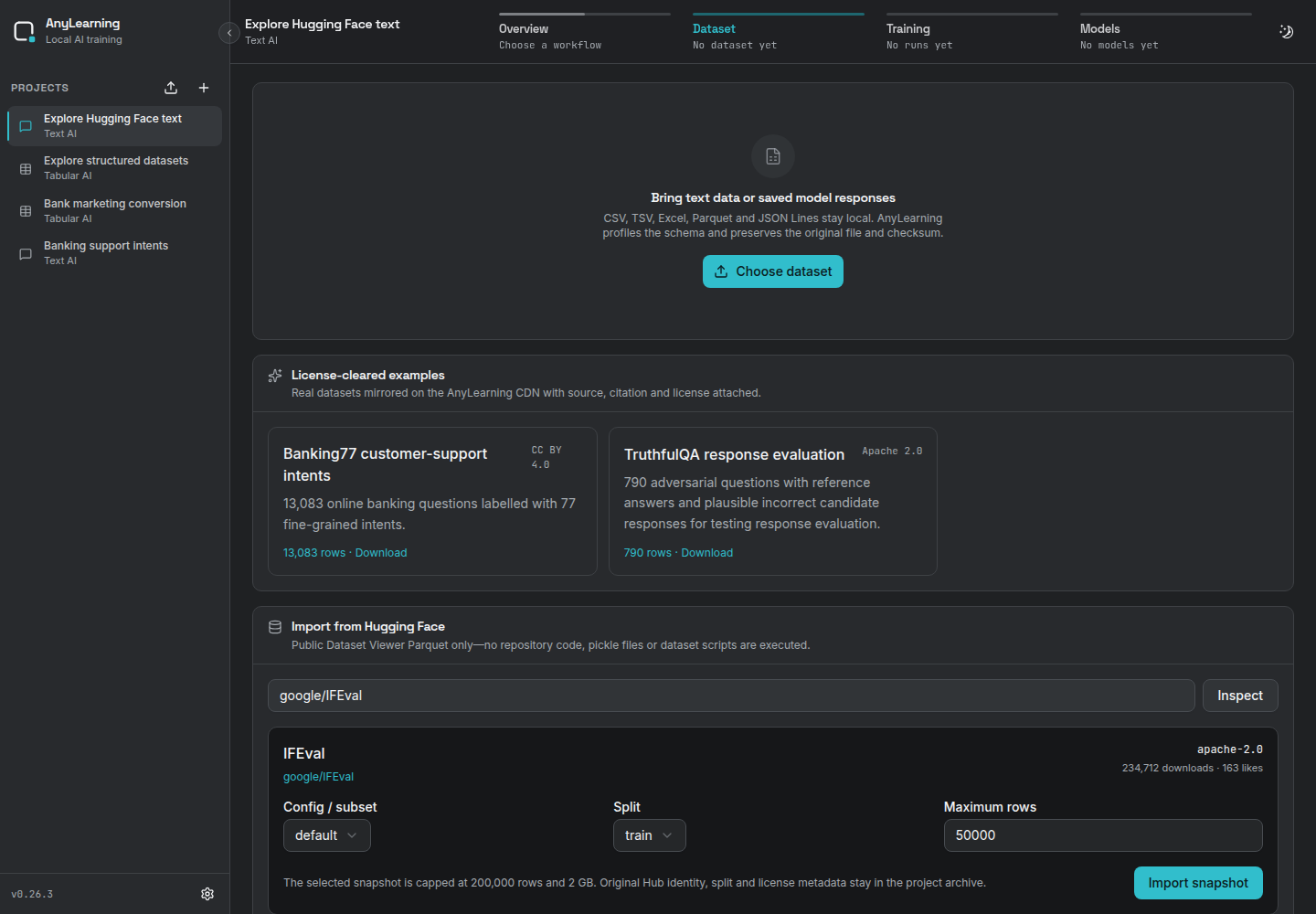
Create a Text AI project and open Dataset. Upload CSV, TSV, Excel, Parquet or JSON Lines, choose a license-cleared example, or inspect a public Hugging Face dataset.
Two ready-to-run examples are included:
| Example | Rows | Workflow | Licence |
|---|---|---|---|
| Banking77 (opens in a new tab) | 13,083 | 77-class intent classification | CC BY 4.0 |
| TruthfulQA (opens in a new tab) | 790 | Response evaluation | Apache 2.0 |
Curated downloads have fixed checksums and automatic column configuration. For Hugging Face, AnyLearning shows the declared licence and requires an explicit acknowledgement when it does not recognize a permissive one. Gated/private datasets are not downloaded in this release.
Useful permissive Hub IDs to inspect include google/IFEval and
truthfulqa/truthful_qa, both declared Apache-2.0 in their dataset cards.
Workflow A: Train an intent classifier
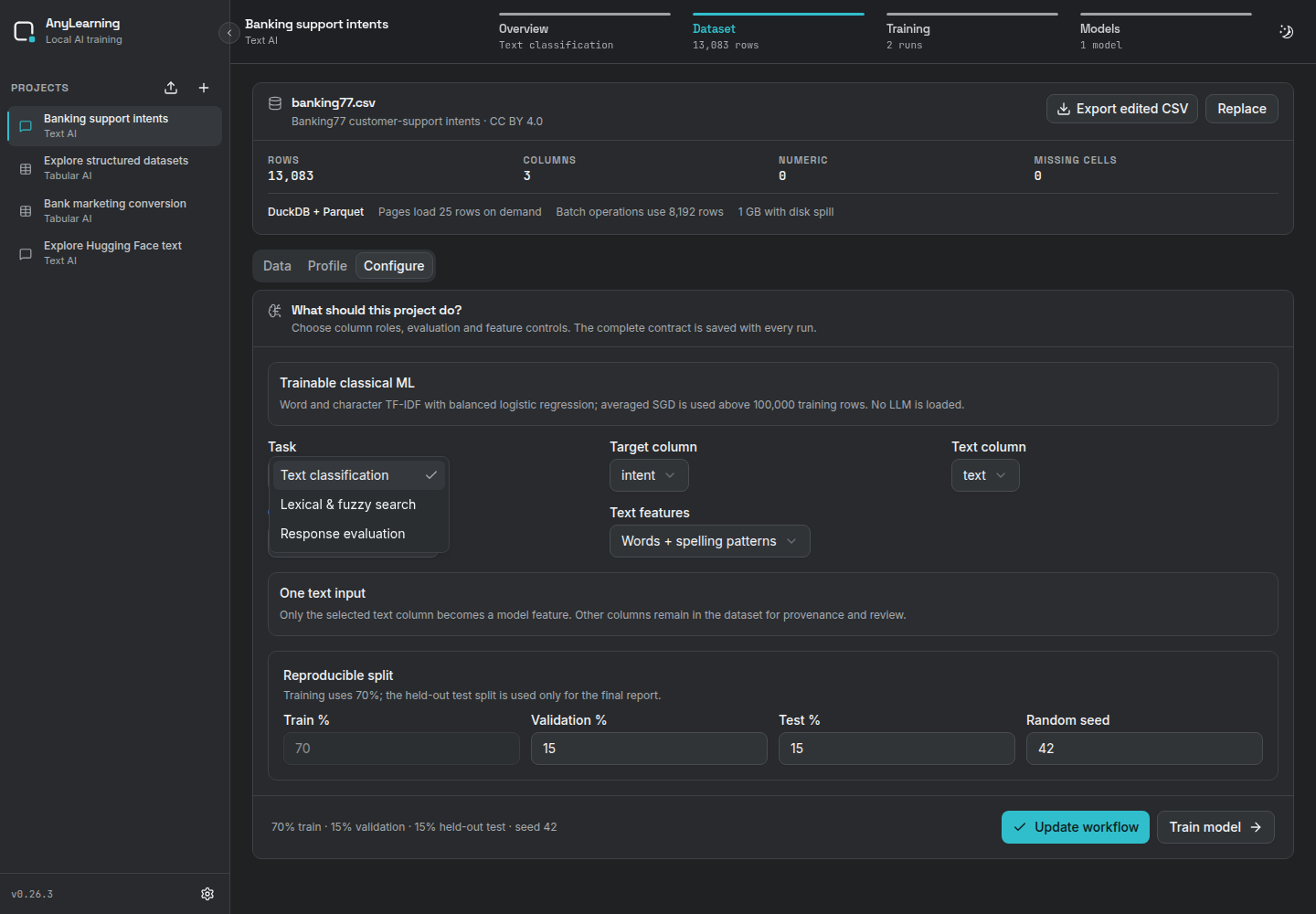
Choose Text classification, then select the text and target columns. The default lightweight trainer combines word and character TF-IDF features with balanced logistic regression. Character features help spelling variants and mixed-language text while keeping training CPU-only and explainable.
The Configure tab gives you explicit control over:
- the primary metric used to compare runs;
- balanced weighting for rare classes or natural observed frequency;
- word + spelling features, words only, or spelling patterns only;
- validation/test percentages and the random seed.
Only the selected text column becomes a model input. Other columns stay in the dataset for provenance and review but are not silently added as features.
Start with word + spelling features and balanced classes. Change one control at a time, then compare held-out metrics and the weakest classes. Words-only can be smaller and easier to inspect; character-only can help noisy short text, but neither is universally better.
Training uses a reproducible maximum of 250,000 rows and a 20-million-cell budget for wide data. Above 100,000 training rows, the linear classifier switches to averaged SGD with log loss so fitting remains sparse and CPU-efficient. The model report states the full and sampled row counts; Smart Review is separately capped at 100,000 candidates.
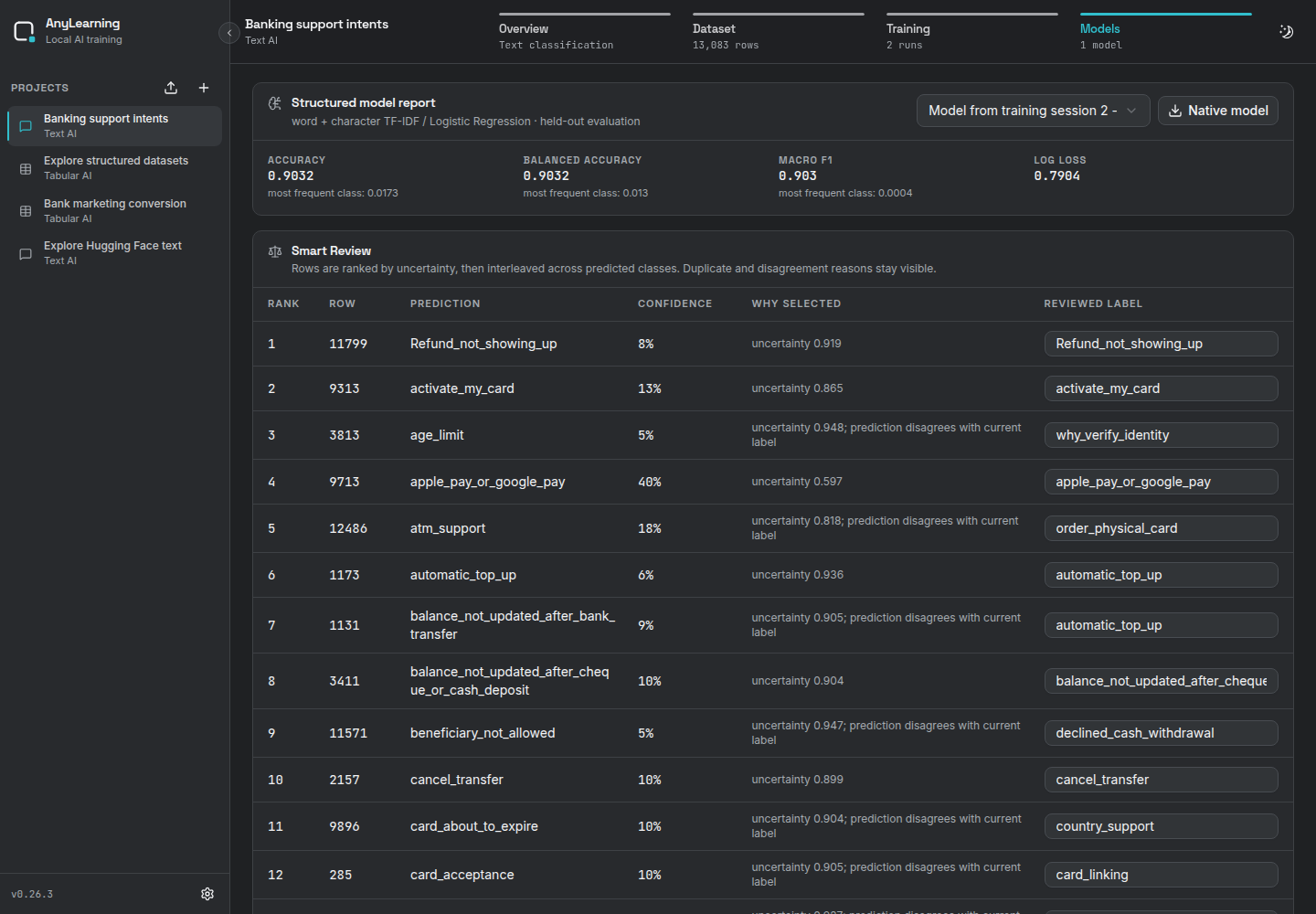
The published Banking77 example produced the following held-out result on the saved seed-42 split:
| Metric | Model | Most-frequent baseline |
|---|---|---|
| Accuracy | 0.9032 | 0.0173 |
| Macro F1 | 0.9030 | 0.0004 |
Use Smart Review to inspect low-confidence and label-disagreement rows, correct labels inline, then retrain. The downloaded native artifact contains the selected vectorizers and the classifier, so prediction applies exactly the same text preprocessing as training. The model report also shows per-class precision, recall and F1; for up to ten classes it includes a confusion matrix.
Workflow B: Run lexical & fuzzy search
Choose Lexical & fuzzy search and a text column, then enter a query under Explore & evaluate. The built-in offline engine uses character n-gram feature hashing and cosine similarity. It scans Parquet in 8,192-row batches, keeps only the requested top results and never builds a full-corpus matrix. It needs no fitted model or download, sends no text to a service and works well as a fast lexical/fuzzy baseline.
If meaning rather than wording dominates your corpus, compare this baseline with a properly evaluated embedding model before shipping a search experience.
Workflow C: Evaluate saved responses
Choose Response evaluation and map:
- the prompt column;
- the candidate/model response column;
- an optional reference-answer column.
AnyLearning reports row count, completion rate, response length, normalized exact match and token-overlap F1 for responses from any source. Empty answers remain visible instead of being dropped. On the included 790-row TruthfulQA exercise, every deliberately populated candidate completed, exact match was 0 and token F1 was 0.4898. The candidate column contains the benchmark's plausible incorrect answer; it is a workflow demonstration, not a claim about a particular model.
Evaluation aggregates every row one Parquet batch at a time. To keep the saved JSON report and browser response bounded, it retains at most 10,000 row-level details and marks the report when details were truncated; aggregate metrics still cover the entire dataset.
Exact match and token overlap cannot measure factuality, safety, style or task success on their own. Keep the prompt, response, reference, provenance and human review decision together, and add task-specific evaluation before making deployment decisions.
Hugging Face import safety
The connector uses the official Hub repository metadata and Parquet endpoints.
It downloads HTTPS URLs only from huggingface.co, streams shards to a
temporary local file, writes record batches directly into canonical Parquet up
to the requested row cap, and stores the Hub ID,
subset, split, declared licence and checksum with the project. Repository code,
dataset scripts and pickle files are never executed.
The Hub is a source, not a licence warranty. Always read the dataset card and check whether its content, personal data and intended use fit your application.